Programme Guide
Move through channels and the next 24 hours, jump back to now, and open any programme for its details.
Extended EPG Plus
See everything your provider lists, beyond the next 24 hours.
Channel Lists
Your own lists come first: favourites, recent channels, your playlists, the categories you pin, and any XMLTV guide you add as a list of the channels it covers. Then Teevo Lists, folded: your region’s main channels and lists for Sport, News, Kids and Films. Favourite, hide, rename or find any channel by its name or number. Sort any list by number, name, what you watched last or favourites first, filter it to HD, channels with a guide or favourites, and move any list into Teevo Lists or out of them, by dragging it or with the remote.
Pause Live TV
Pause a channel and pick it up again, as far back as the channel allows. Live Rewind can keep up to 4 GB on the device to move back through.
Live Rewind is off until you choose a size, and works in VLC for channels sent as one continuous stream.
Catch-Up and Start Again
Start any programme from the beginning, and catch up on what you missed.
Needs a provider that offers catch-up.
Saved for Catch-up
Save programmes from the guide to watch later on catch-up.
These are bookmarks, not recordings: playback depends on your provider’s catch-up.
Reminders Plus
Set a reminder in the guide, and Teevo asks if you’d like to watch when the programme starts. iPhone and iPad send a notification too.
Multiview
Watch up to four live channels at once, with the sound from the one you choose.
About This Programme
When the guide doesn’t describe a programme, a line about it is written on your device from the catalogue’s description, marked as generated.
Not available in Arabic.
 Teevo
Teevo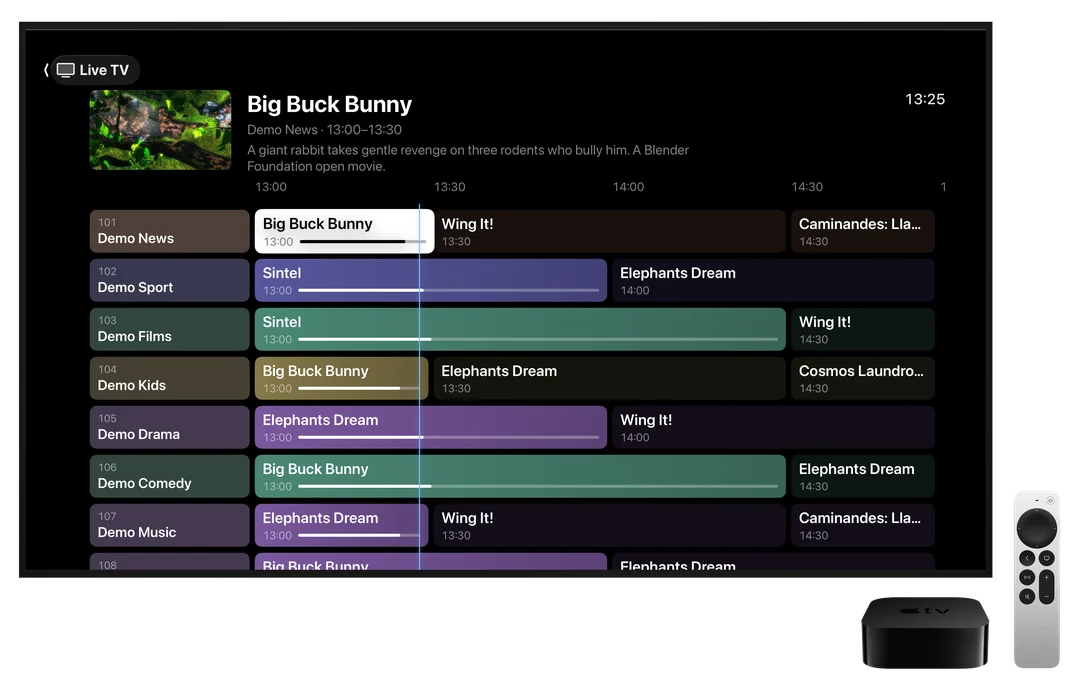
 Big Buck BunnyDemo News · 13:00 to 13:3013:28
 Demo Films
 Demo Drama
 Demo Kids